
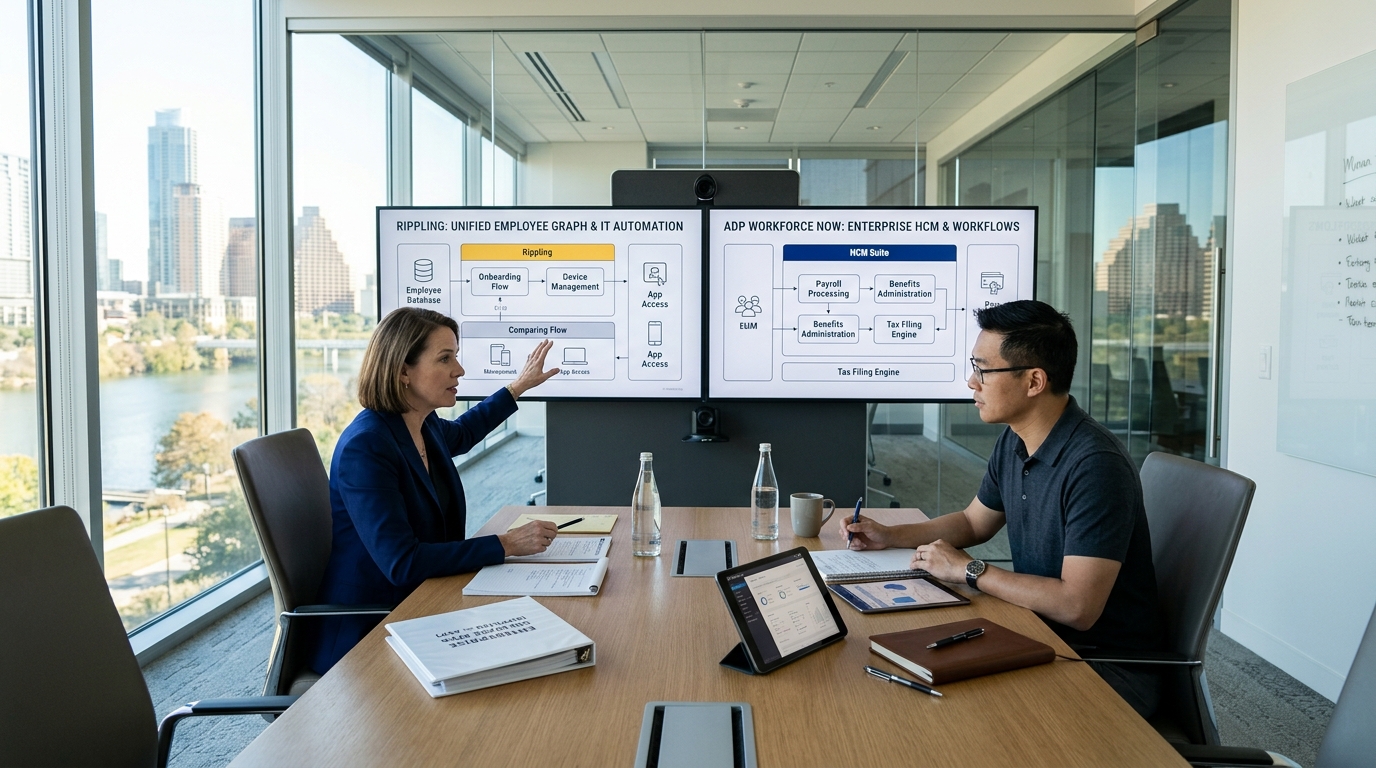
Comparing Rippling and ADP represents the central conflict in modern enterprise human resources: cutting-edge unified database automation versus the institutional stability and dedicated service infrastructure of the world’s largest payroll processor. In 2026, mid-market enterprises (25 to 1,000+ employees) face an architectural inflection point. Choosing between Rippling’s unified Employee Graph—which controls payroll, benefits, and IT devices simultaneously—and ADP Workforce Now’s comprehensive HCM ecosystem dictates company-wide operational efficiency, onboarding velocity, and compliance overhead.
Executive Key Takeaways for VPs of HR, CFOs & CIOs:
- Core Architecture Difference: Rippling is built on a single unified relational graph database where payroll, employee benefits, and IT hardware/software provisioning sync in real time; ADP operates on segmented modular architectures (RUN for SMBs, Workforce Now for mid-market) connected via batch integrations.
- IT & Identity Lifecycle Automation: Rippling natively provisions employee laptops (Mac/PC MDM), configures single sign-on (SSO), and assigns SaaS licenses (Google Workspace, Slack, Microsoft 365) during payroll onboarding; ADP requires third-party identity management software (such as Okta or Jamf).
- Global Workforce Capabilities: Rippling executes domestic US payroll, international contractor payments, and Global Employer of Record (EOR) across 150+ countries in a single unified ledger; ADP requires separate global agreements via ADP GlobalView or international partners.
- Pricing Structure & Contract Terms: Rippling publishes modular pricing starting at $8/employee/month plus a platform base fee with transparent annual SaaS billing; ADP operates through custom enterprise sales quotes with implementation fees ($3,000–$25,000+) and per-payroll processing charges.
Rippling vs. ADP: Quick Answer Definition
Rippling vs. ADP is the operational benchmark between a unified cloud platform that connects payroll, employee benefits, and IT device provisioning on a single graph database (Rippling), versus the industry’s largest legacy human capital management provider offering deep compliance and dedicated service teams (ADP). Choice depends on whether IT automation or traditional service dominates. (See model below).
Statutory Legal Framework: Enterprise Tax Engines & ACA Compliance
Both platforms operate institutional-grade federal, state, and local payroll tax engines, but their architectural execution of complex regulatory workflows reflects different software generations:
1. Federal and Multi-Jurisdictional Tax Compliance
Pursuant to Internal Revenue Code § 3402 (income tax withholding) and statutory FICA/FUTA mandates, both vendors execute automated electronic deposits and file quarterly Forms 941, Schedule B, and annual Forms 940:
- ADP’s Tax Authority: ADP processes payroll for roughly 1 in 6 American workers. Its tax filing division, ADP Tax & Financial Services, possesses direct legislative access, established relationships with thousands of municipal tax bureaus, and massive regulatory reserves. For companies with complex localized tax requirements (e.g., Pennsylvania Act 32 earned income taxes, Ohio RITA municipal taxes), ADP offers battle-tested tax resolution infrastructure.
- Rippling’s Automated Geocoding: Rippling approaches multi-jurisdictional tax compliance through algorithmic automation. When a remote employee inputs their residential address, Rippling’s geocoding engine identifies the exact parcel boundaries across 11,000+ local tax jurisdictions, auto-assigning city, county, and school district payroll withholding accounts without manual HR intervention.
2. ACA Mandates and Fiduciary Benefits Reporting
Under the Affordable Care Act (IRC § 4980H), Applicable Large Employers (ALEs) with 50 or more full-time equivalent employees must track healthcare offer affordability and file annual Forms 1094-C and 1095-C with the IRS:
- ADP Workforce Now: Features dedicated ACA compliance dashboards that track variable-hour employee measurement periods, calculate safe harbor affordability percentages (W-2, rate of pay, or federal poverty line), and auto-generate 1095-C forms.
- Rippling: Unifies ACA tracking with employee scheduling, time-tracking hours, and benefit enrollment records on the same underlying database. Measurement period transitions trigger automated alerts to managers before part-time workers breach the 30-hour weekly threshold.
Operational Mechanics: The Unified Employee Graph vs. Modular HCM Silos
The defining technical distinction between Rippling and ADP lies in database design. This architectural difference directly impacts administrative workload and operational error rates:
Rippling’s Single Employee Graph Architecture
Rippling was built from scratch as a single relational database called the Employee Graph. An employee is a single master record that links human resources data, payroll compensation, insurance plans, physical computer hardware, and corporate software access:
- Zero-Touch Onboarding: When an employee is hired, their job profile triggers payroll enrollment, pre-configures health insurance tiers, orders a pre-enrolled corporate laptop (shipped directly to their home with Apple Business Manager or Windows Autopilot), and provisions accounts in Google Workspace, Slack, Jira, and GitHub based on role-based access rules.
- Instant Offboarding: Terminating an employee in Rippling deactivates payroll in the next cycle, initiates COBRA notification feeds, cuts off single sign-on access to all corporate apps instantly, and initiates remote device wipe and prepaid return box shipping for the laptop.
ADP’s Modular Ecosystem Architecture
ADP’s architecture grew over decades through internal development and corporate acquisitions. As a result, its mid-market product, ADP Workforce Now, functions as a suite of integrated modules rather than a singular database:
- Modules for Core Payroll, Time & Attendance, Benefits Administration, and Talent Management communicate through scheduled batch syncs and API bridges.
- While ADP offers the ADP Marketplace with hundreds of third-party connectors, it does not manage IT devices, MDM protocols, or identity access. IT departments must maintain separate software stacks (e.g., Jamf, Kandji, Okta, Google Admin Console) and coordinate with HR manually during onboarding and offboarding.
Mathematical Worked Model: 75-Person Company Total Cost Analysis
To quantify true economic cost, consider an evaluation for a high-growth technology and professional services firm with 75 full-time employees in 2026. This model calculates the total human resources and IT administration software stack over a 12-month period:
Total Workforce Software Stack Cost Formula:
Total Annual Stack Cost =
  Payroll_HRIS_Base + (FTE_Count * HR_PEPM * 12) +
  IT_Identity_Stack (MDM + SSO Licenses) +
  Implementation_Setup_Fees_Amortized +
Year_End_W2_Filing_Surcharges| Software Stack Component | Rippling (Unified HR + IT) | ADP Workforce Now + Separate IT Stack | Net Variance |
|---|---|---|---|
| Core Payroll & HRIS Base | $35/mo base + $8 PEPM × 75 × 12 = $7,620.00 | Workforce Now Core bundle ($18 PEPM × 75 × 12) = $16,200.00 | Rippling saves $8,580 |
| Benefits Administration Module | $5 PEPM × 75 × 12 = $4,500.00 | Workforce Now Benefits add-on ($6 PEPM × 75 × 12) = $5,400.00 | Rippling saves $900 |
| Time & Attendance Tracking | $4 PEPM × 75 × 12 = $3,600.00 | Enhanced Time module ($5 PEPM × 75 × 12) = $4,500.00 | Rippling saves $900 |
| IT Device Management (MDM) | Rippling Device Cloud ($5 PEPM × 75 × 12) = $4,500.00 | Third-party Jamf / Kandji MDM ($6 PEPM × 75 × 12) = $5,400.00 | Rippling saves $900 |
| Single Sign-On (SSO) & Identity | Rippling Identity Cloud ($4 PEPM × 75 × 12) = $3,600.00 | Third-party Okta Workforce ($6 PEPM × 75 × 12) = $5,400.00 | Rippling saves $1,800 |
| Implementation & Onboarding | Flat setup assistance = $2,500.00 | Workforce Now professional implementation = $8,500.00 | Rippling saves $6,000 |
| TOTAL FIRST-YEAR STACK EXPENDITURE | $26,320.00 | $45,400.00 | RIPPLING SAVES $19,080 |
Cost Summary: By unifying HR, payroll, device management, and single sign-on into a single platform, Rippling eliminates redundant third-party IT software subscriptions (such as Okta and Jamf), saving a 75-person company $19,080 in first-year expenditures while reducing administrative cross-team friction.
Software Architecture Matrix: Direct Feature & Capability Comparison
The comparative matrix below details capabilities across both enterprise systems:
| Feature / Capability | Rippling | ADP Workforce Now | Category Winner |
|---|---|---|---|
| IT & Device Management | Native computer ordering, MDM, app provisioning, password management | No native IT management (requires third-party MDM & SSO tools) | Rippling (Decisive) |
| Dedicated Support & Service | Ticket-based support; dedicated account rep on enterprise tiers | Assigned account manager, dedicated payroll specialists, 24/7 phone support | ADP Workforce Now |
| Global Workforce (EOR) | Native Global Payroll and Employer of Record in 150+ countries on one ledger | ADP GlobalView / Streamline (complex regional integration) | Rippling |
| Complex Labor Union Rules | Standard multi-rate overtime; custom calculation scripts | Deep certified payroll, prevailing wage, and collective bargaining tracking | ADP Workforce Now |
| Custom Workflow Automation | Supergroups builder (cross-app “if this, then that” automation) | Standard multi-level HR approval hierarchies | Rippling |
| Pricing Transparency | Modular published rates starting at $8 PEPM with clear line items | Opaque enterprise quotes; per-run processing fees; auto-renew clauses | Rippling |
Implementation Timelines, Data Migration & Enterprise Contract Traps
Understanding the operational reality of deploying either platform prevents costly mid-project stalls:
1. Deployment Timelines and Professional Services
- Rippling: Mid-market implementations for a 75-person company typically take 3 to 5 weeks. The self-service API architecture allows administrators to import historical payroll data, configure chart of accounts mappings, and integrate Google Workspace in parallel.
- ADP Workforce Now: Implementations typically require 8 to 16 weeks. They involve formal professional services teams who configure earnings codes, deduction accumulators, and security profile groups. Rushing an ADP deployment frequently causes incorrect year-to-date tax balances.
2. Contractual Traps and Auto-Renewal Clauses
Enterprise procurement teams must scrutinize ADP contracts for multi-year automatic renewal terms (often requiring 60-day written notice prior to annual renewal) and per-processing-cycle administrative fees for out-of-sequence payroll runs. Rippling contracts operate on standard annual SaaS subscription agreements with modular add-ons that can be scaled as headcount evolves.
Frequently Asked Questions (FAQs)
Can Rippling replace an existing IT device management (MDM) tool like Jamf or Intune?
Yes. Rippling Device Cloud functions as a complete Mobile Device Management (MDM) solution for both macOS and Windows. It enforces disk encryption (FileVault/BitLocker), installs mandatory security software, pushes OS updates, and allows remote device lock and wipe upon employee termination.
When is ADP a better choice than Rippling for a mid-market company?
ADP is generally a better fit for traditional enterprises with complex union contracts, certified payroll and prevailing wage mandates, large frontline manufacturing workforces requiring specialized hardware timeclocks, or companies that demand dedicated phone-based payroll account representatives.
Can I keep my current health insurance broker when switching to Rippling or ADP?
Yes. Both Rippling and ADP Workforce Now support a “Bring Your Own Broker” (BYOB) model, allowing employers to maintain their trusted independent insurance broker while connecting plan deductions directly to payroll.
How does Rippling manage international employees and contractors compared to ADP?
Rippling features native Global Payroll and Employer of Record (EOR) built directly into the same application, allowing a company to pay US W-2 workers, international contractors, and overseas full-time staff across 150+ countries in one pay run. ADP requires coordinating across distinct regional systems like ADP GlobalView.
How long does it take to migrate from ADP to Rippling?
Migrating from ADP to Rippling typically takes 3 to 6 weeks. The process involves exporting historical employee demographic files, year-to-date payroll summaries, deduction mapping tables, and benefit enrollment records, followed by a parallel test payroll run before final cutover.
{
“@context”: “https://schema.org”,
“@type”: “FAQPage”,
“mainEntity”: [
{
“@type”: “Question”,
“name”: “Can Rippling replace an existing IT device management (MDM) tool like Jamf or Intune?”,
“acceptedAnswer”: {
“@type”: “Answer”,
“text”: “Yes. Rippling Device Cloud functions as a complete Mobile Device Management (MDM) solution for macOS and Windows, enforcing disk encryption, mandatory security software, and automated remote wipe upon termination.”
}
},
{
“@type”: “Question”,
“name”: “When is ADP a better choice than Rippling for a mid-market company?”,
“acceptedAnswer”: {
“@type”: “Answer”,
“text”: “ADP is a better choice for traditional enterprises with complex union contracts, certified payroll and prevailing wage mandates, large manufacturing workforces requiring hardware timeclocks, or companies needing dedicated phone-based payroll representatives.”
}
},
{
“@type”: “Question”,
“name”: “Can I keep my current health insurance broker when switching to Rippling or ADP?”,
“acceptedAnswer”: {
“@type”: “Answer”,
“text”: “Yes. Both Rippling and ADP Workforce Now support a Bring Your Own Broker (BYOB) model, allowing employers to maintain their independent broker while connecting plan deductions directly to payroll.”
}
},
{
“@type”: “Question”,
“name”: “How does Rippling manage international employees and contractors compared to ADP?”,
“acceptedAnswer”: {
“@type”: “Answer”,
“text”: “Rippling features native Global Payroll and Employer of Record (EOR) built directly into the same application across 150+ countries. ADP requires coordinating across distinct regional systems like ADP GlobalView.”
}
},
{
“@type”: “Question”,
“name”: “How long does it take to migrate from ADP to Rippling?”,
“acceptedAnswer”: {
“@type”: “Answer”,
“text”: “Migrating from ADP to Rippling typically takes 3 to 6 weeks, involving data export of employee demographics, year-to-date payroll summaries, deduction mapping, and a parallel test payroll run.”
}
}
]
}
Executive Benchmarks & Related Regulatory Guides
Explore cross-referenced statutory rules, vendor cost evaluations, and operational guides:
- Best Payroll Software with Same-Day Direct Deposit (2026): Nacha Deadlines & Instant Pay [Payroll Software]
- Deel vs. Rippling (2026): Global EOR, Multi-Country Payroll & IT Automation Guide [Payroll Software]
- Restaurant Tip Credit & FICA Tip Credit Calculator (2026): Form 8846 Tax Savings [Interactive Tools]